

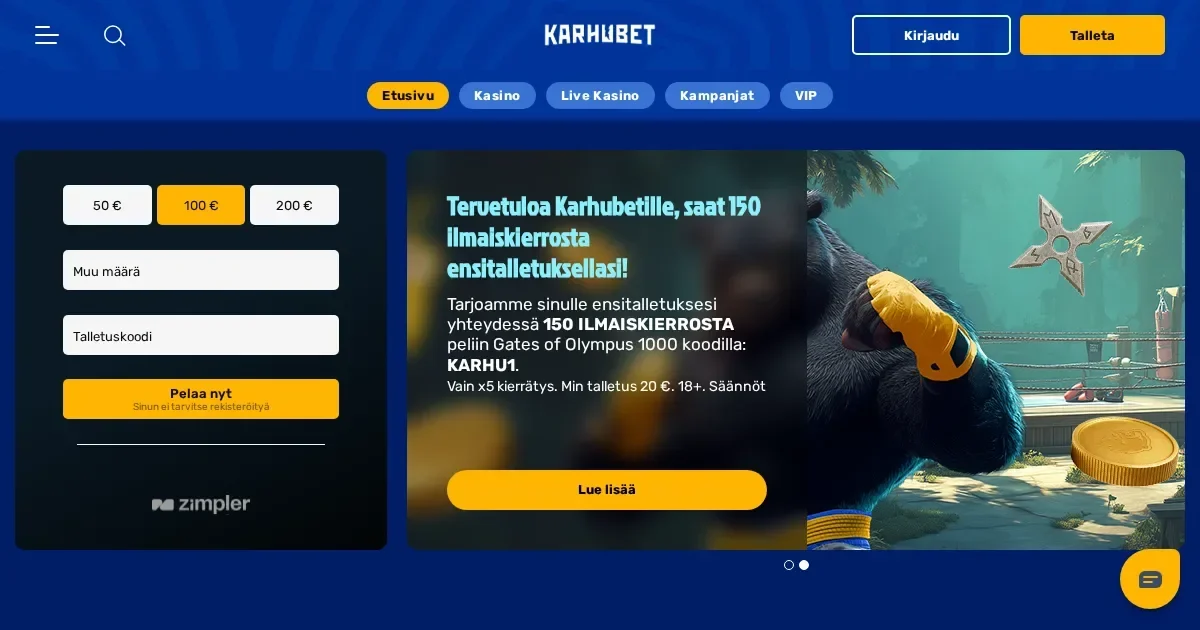
Karhubet runs entirely in a mobile browser. There is no native app to download, no store listing to search for. You reach the site the same way on a phone as you do on a laptop – by typing the address into Safari, Chrome or Firefox.
The account is the same across devices. A deposit made on desktop is there when you open the site on a phone minutes later. Limits, verification status and bonus progress carry over without resynchronisation.
The honest answer on apps
Karhubet does not publish a native iOS or Android application. The mobile experience is browser-based – you load the site, log in, and play. No installation, no separate credentials, no app store reviews to read.
This approach has a practical upside: updates to the game library, the cashier or the terms take effect immediately for every player on every device. There is no version lag, no prompt to update before you can withdraw.
The browser route in practice
Reaching Karhubet from a phone takes three steps:
- Open your mobile browser and navigate to the operator's official domain.
- Log in with the same email and password you use on desktop.
- The homepage loads in a mobile-optimised layout – game tiles stack vertically, the menu condenses into a hamburger icon, and the cashier button stays pinned to the footer.
You can save the site to your home screen from Safari or Chrome. The shortcut behaves like an app icon but still opens the site in the browser underneath.
Features that survive the small screen
The core functions work the same way on a phone as they do on a computer. You can deposit using Skrill, Neteller, Trustly, credit cards or bank wire transfers – the minimum is €10 and the methods list does not change by device.
Withdrawals follow the same process. The €50 minimum, the €5,000 daily cap and the €25,000 monthly limit apply regardless of where you make the request. The operator endeavours to process pending withdrawals within 24 business hours, and that timeline holds whether you submit from a laptop or a handset.
Verification can be completed on mobile. When cumulative deposits reach €2,000, the operator asks for proof of identity, utility bills, payment method copies and bank statements. You can photograph documents with the phone's camera and upload them directly from the browser.
| Feature | Mobile browser |
|---|---|
| Deposit minimum | €10 |
| Withdrawal minimum | €50 |
| Daily withdrawal cap | €5,000 (€25,000 monthly) |
| KYC threshold | €2,000 cumulative deposits |
| Support email | [email protected] |
The game library is accessible from a phone. Slots from Pragmatic Play, Play N GO, Relax Gaming, Quickspin and Hacksaw Gaming load in the browser without plugins. Live dealer tables – blackjack, roulette, baccarat, poker – stream over a mobile connection, though picture quality scales down on slower networks.
Bonus terms apply identically. The 150 Free Spins on Gates of Olympus 1000 (minimum deposit €20, wagering ×5) can be claimed from a phone. The deposit bonuses carry wagering of 35× or 40× the deposit plus bonus balance depending on which language version of the terms you read, and the €2 maximum bet while a bonus is active voids wins on any stake above it – that ceiling bites harder on a small screen where it is easier to tap the wrong button.
Where mobile is worse than desktop
Screen real estate is the first compromise. A 6-inch display shows fewer game tiles at once, so scrolling to find a particular slot takes longer. The search bar helps, but only when you already know the title you want.
Live casino tables shrink to fit the viewport. The video feed is letterboxed, betting buttons cluster at the bottom, and chat overlays the action when opened. On a tablet the layout is more comfortable; on a phone it feels cramped.
Multitasking costs more on mobile. Switching apps to check a message or a notification can pause the browser, and some live tables interpret that pause as inactivity and remove you from the seat. Slots hold your place, but a bonus feature mid-spin may time out if the screen locks.
Data usage matters. An hour of live dealer blackjack consumes 150–250 MB depending on stream quality. Slots are lighter – roughly 30–50 MB per hour – but a long session on a metered connection adds up. Wi-Fi is safer; mobile data on a train or in a café drains the allowance and battery together.
The cashier works, but entering a 16-digit card number or a long IBAN on a phone keyboard invites typos. Pasting from a password manager helps; manual entry does not.
A short checklist
Before you deposit from a phone, check five things:
- You are on a secure connection – public Wi-Fi in a café or an airport is readable by anyone on the same network. Use mobile data or a VPN if you must log in away from home.
- The address in the browser bar is the operator's official domain. Phishing sites that mimic the layout exist, and a phone screen makes the URL harder to inspect.
- You have set deposit limits. The operator lets you configure monetary caps, and doing that from a laptop before you ever play on a phone means an impulse session at 2 a.m. cannot breach them.
- The device locks automatically. If you leave the phone on a table with the site still open, anyone who picks it up has access to your balance and the cashier.
- Battery is above 20%. A session interrupted by a dead phone in the middle of a bonus round forfeits progress, and some bonuses expire within 24 hours of activation.
Responsible gambling on mobile
A phone is in your pocket all day, which makes it easier to play impulsively than a laptop you only open at home. Set deposit limits through the account settings before the first mobile session, and use the operator's cool-off tool – available for 24 hours to 3 months – if you find yourself opening the site more often than you planned.
Self-exclusion can be set for 6 months to 5 years, or indefinitely. Accounts closed this way cannot reopen until the period expires. VIP players can ask to be contacted via chat, email, call or instant message, but declining those channels is also an option in the account preferences.
Free help is available through GamCare at gamcare.org.uk or by calling the National Gambling Helpline on 0808 8020 133 (24/7). BeGambleAware (begambleaware.org) offers guides on setting limits and recognising problems early. GamStop (gamstop.co.uk) is a free national self-exclusion scheme that blocks access across all UK-licensed sites for 6 months, 1 year or 5 years.
If a child or teenager shares your household, install parental-control software such as Net Nanny or Qustodio on devices they use. Gambling sites are for adults only (18+), and a phone left unlocked is an open door.
Access to this site is restricted to persons aged 18 and over (18+). If gambling ever stops feeling like entertainment, free and confidential support is available at BeGambleAware.org.